The asset manager Unreal Engine was missing
Your Unreal projects, one local library. Search and preview assets without opening the engine — then drop them back into Unreal.
Windows 10/11 (x64) · UE 5.0–5.8 · Lifetime license for 2 PCs
Lifetime license, includes updates — pay once. $30 USD, taxes may apply and will be calculated at checkout.
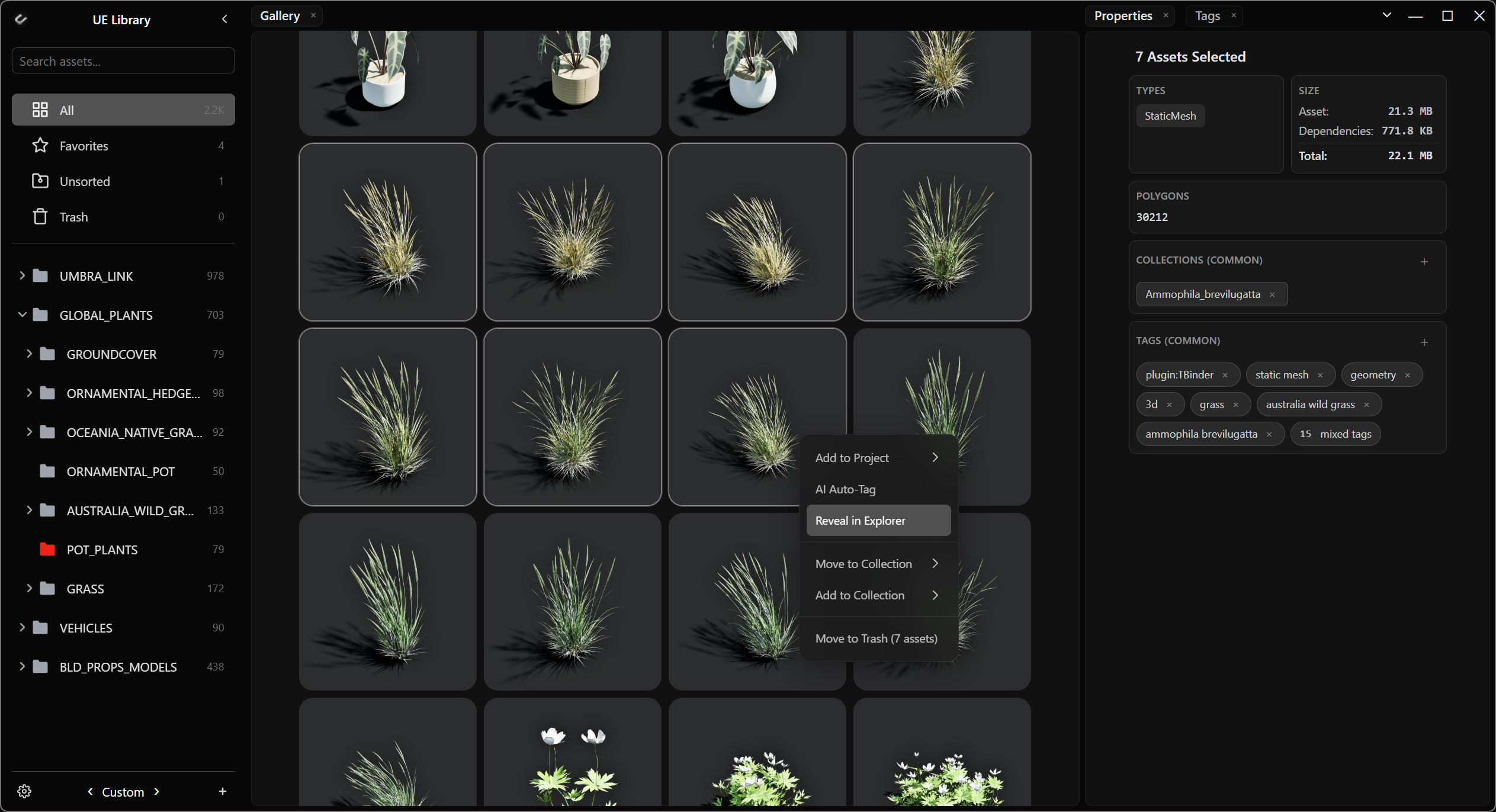
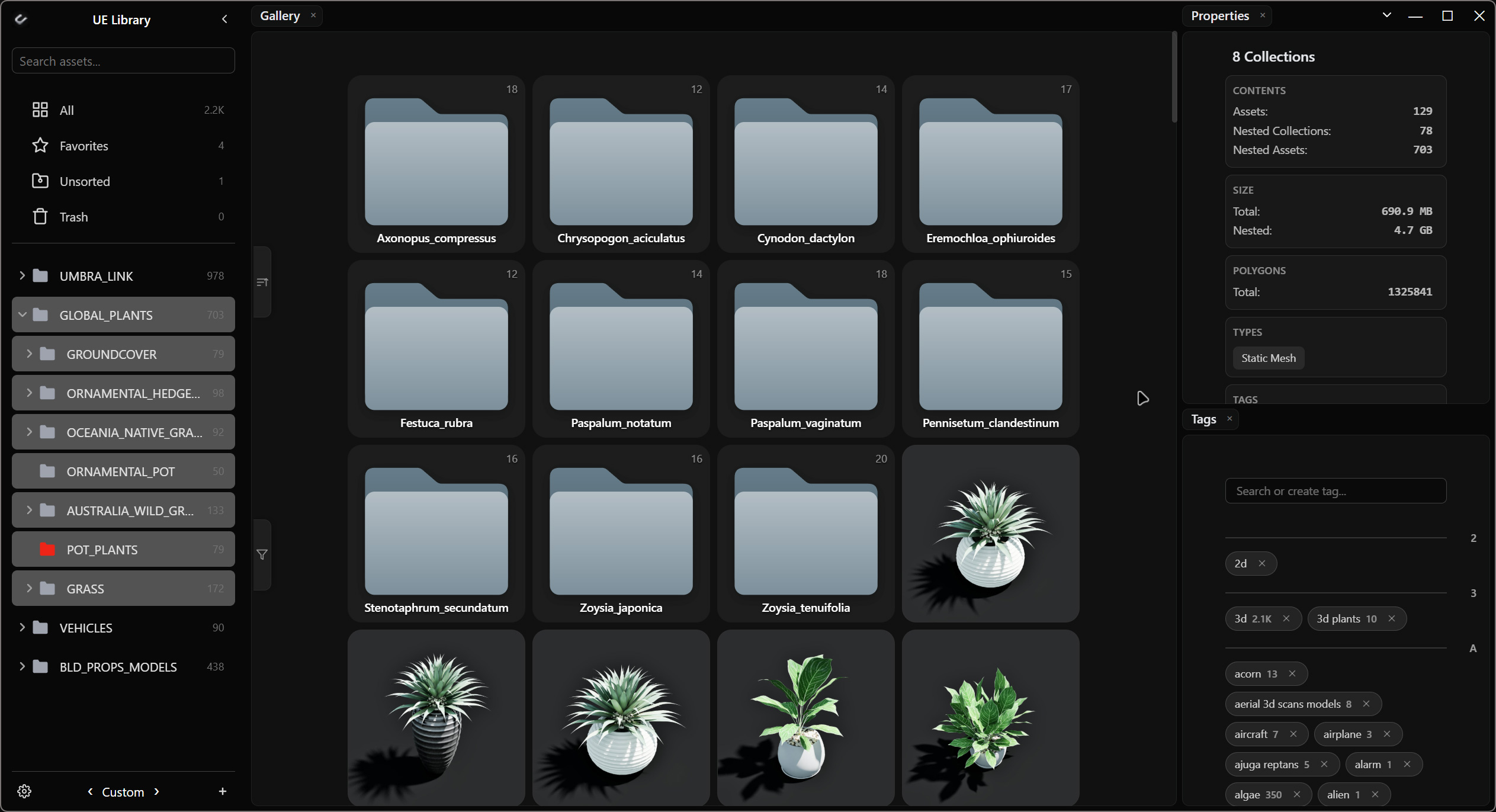
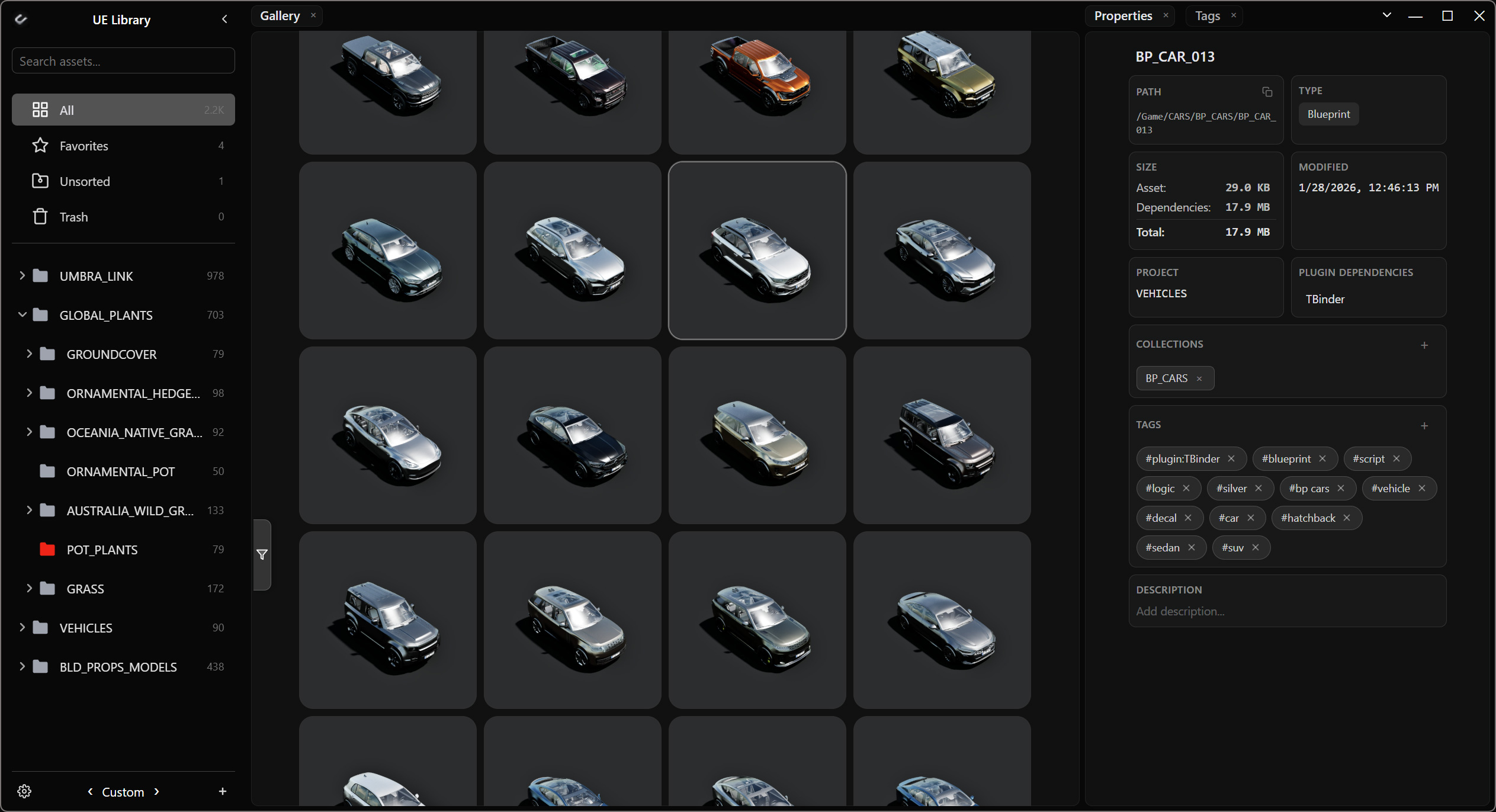
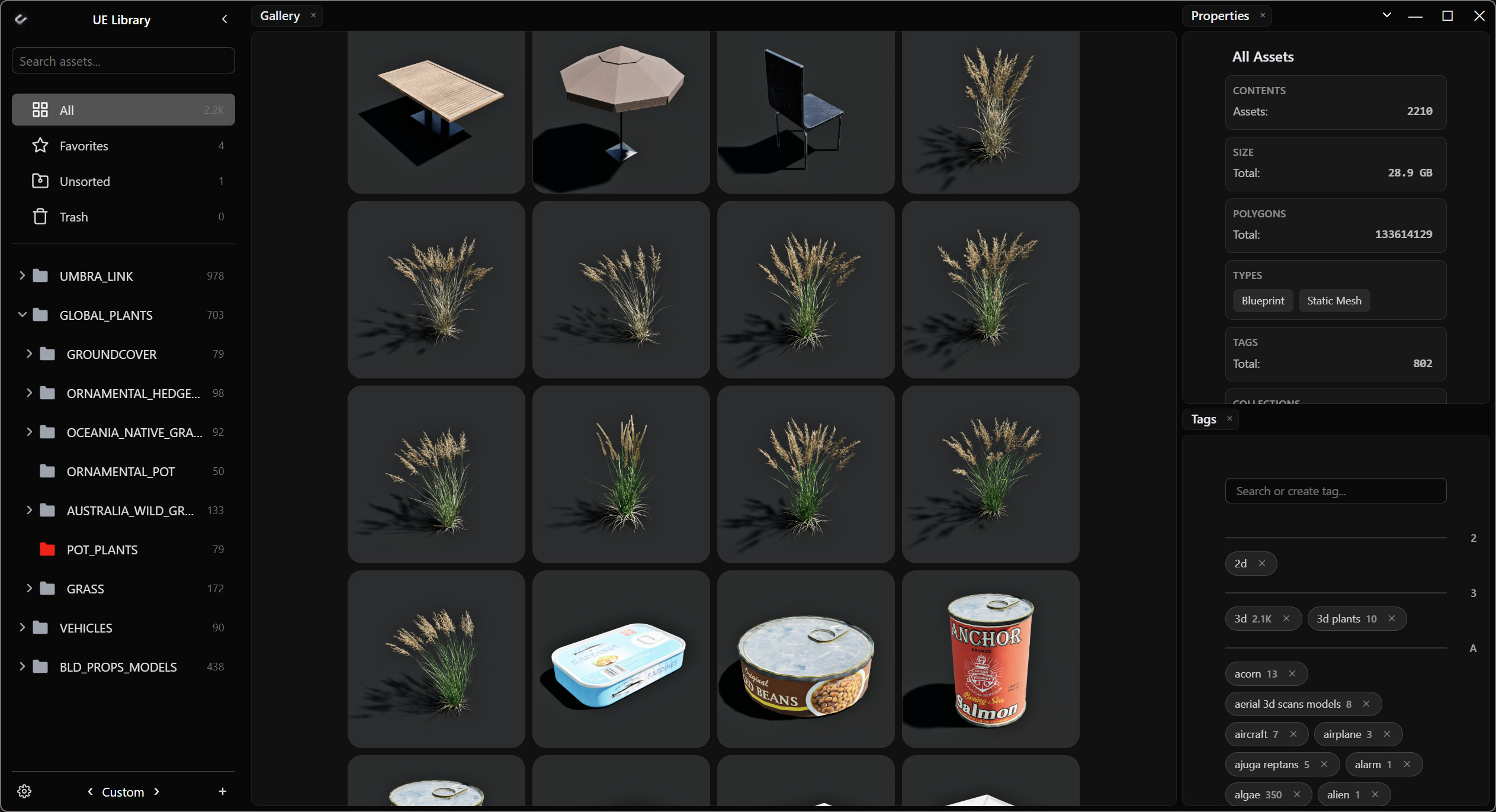
The bigger your collection gets, the harder it is to use. Finding an asset you already have often takes longer than finding a new one.
You know the asset is already there. You just don’t remember which project. So you open Unreal, wait, search the Content Browser, close the project, try another.
An asset you can’t find is almost the same as an asset you don’t have.
Unreal stays where you create and use assets. Uiture Link is where you manage the library. It doesn’t duplicate your uassets. It describes them — metadata and previews from your library projects, in one place, without opening each project to see what’s inside.
When you import, Uiture copies that asset and the dependencies it needs into the target project — not the whole pack.
How it works
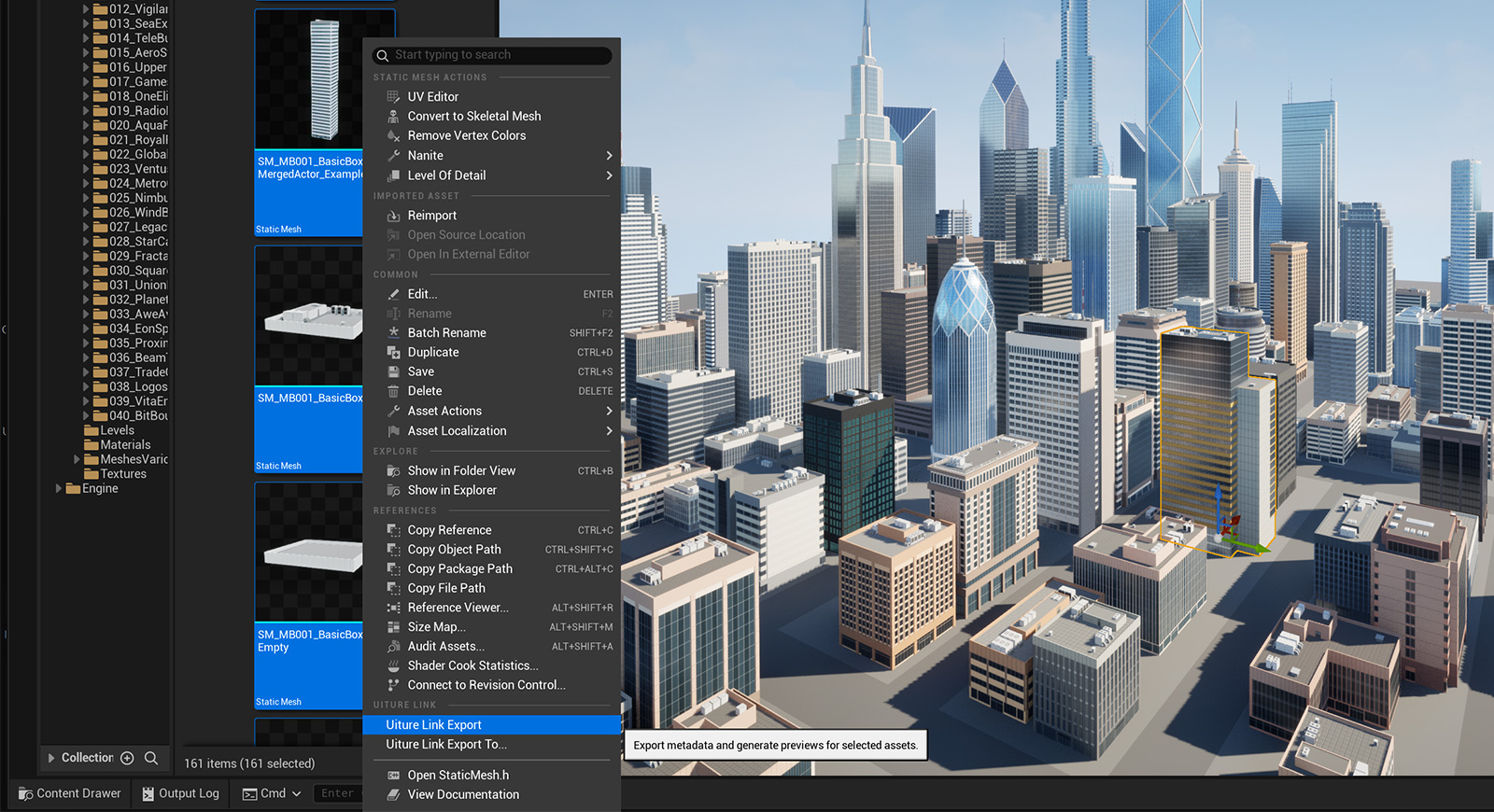
01
Export in Unreal
Uiture Link Exporter builds in-engine previews and metadata. Use Export in a library project, or Export To to copy selected assets from a working project into one.
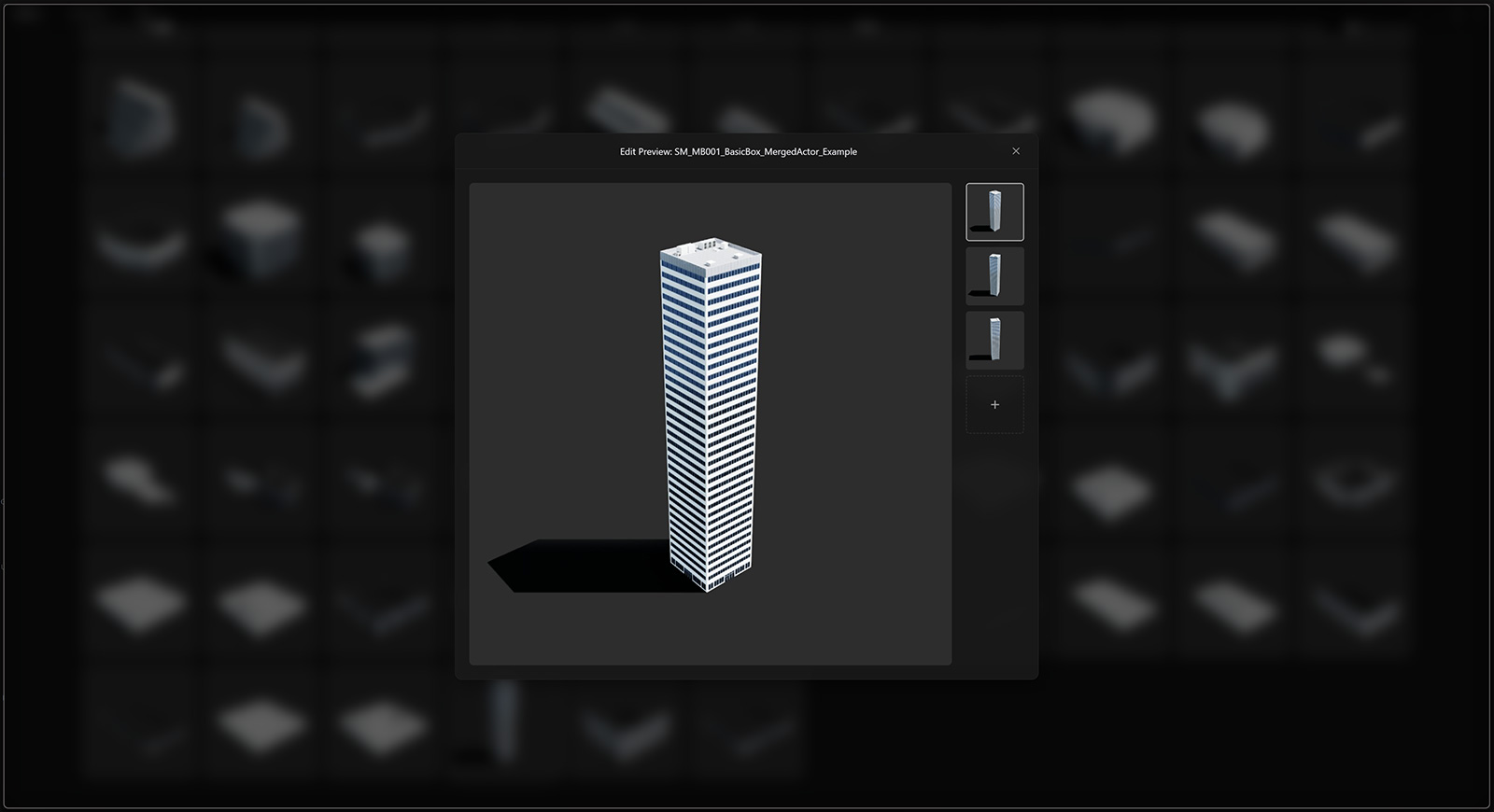
02
Browse in Uiture Link
Library projects stay the source. Uiture Link catalogs them into one space — tags, collections, search, and properties. Unreal can stay closed.
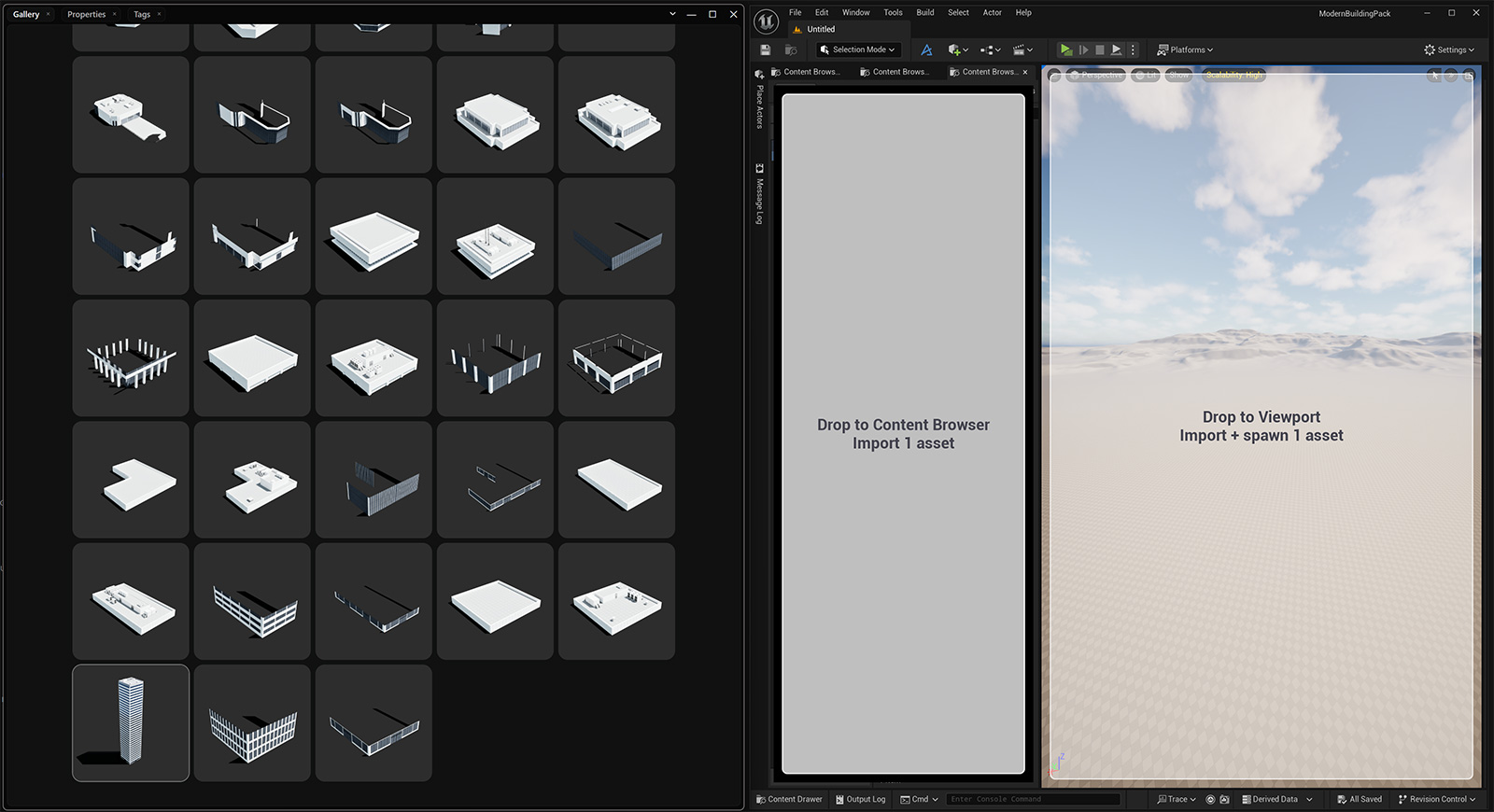
03
Drop into a project
Drag into the Content Browser to import, or into the Viewport to spawn in the world. The uasset and its dependencies copy into the target you chose — not the whole pack.
Uiture Link installs and updates Uiture Link Exporter for the engine versions it finds (UE 5.0–5.8), then keeps the library in sync.
Built for your own library
One library, many projects
Your library projects stay the source. Uiture Link describes, tags, and catalogs them into one space so you can search once and import into a new project.
Search as you type
Results update with every character. Filter by type and sort by the properties that actually matter — size, polycount, and more.
In-engine previews
For supported types, previews come from a Play In Editor session — the asset as it looks in Unreal, not the default thumbnail. Other project assets still export metadata; assign a custom preview in the app if you want one.
See it before you open Unreal
Size, polycount, and dimensions — enough to decide if an asset fits the project. Select a set and get the combined weight with shared dependencies counted once.
Drop into Unreal
Drag assets into the Content Browser to import them, or into the Viewport to spawn them in the world.
Works with Unreal closed
Browse, search, and organize as a native Windows app. Open the engine when you export new assets or drop them into a project.
Background AI tags
On-device visual tags from each asset's preview, assigned automatically in the background. Add your own tags and descriptions whenever you want.
Collections, not a new folder tree
By default, assets land in collections that match their Content Browser path. Rearrange them however you like in Uiture Link — import still copies each asset along its original Unreal path.
In-engine previews for Static Meshes, Skeletal Meshes, Materials, Decals, Alembic caches, VDB volumes, Niagara, and Blueprints that contain them. Other project assets can still be exported for metadata.
Stop hunting through projects. Use the library you already have.
One-time purchase. Lifetime license for 2 PCs, includes updates. No subscription.